Knowledge Base Usb Capture Content

When using USB Capture series devices, only one resolution can be configured in capture software such as OBS

Article ID: 0002050001 USB Capture AIO, USB Capture HDMI Gen 2, USB Capture SDI Gen 2, USB Capture HDMI 4K Pro, USB Capture SDI 4K Pro

This may be due to the camera settings in Windows 11, and you’ll need to adjust the default camera configurations.
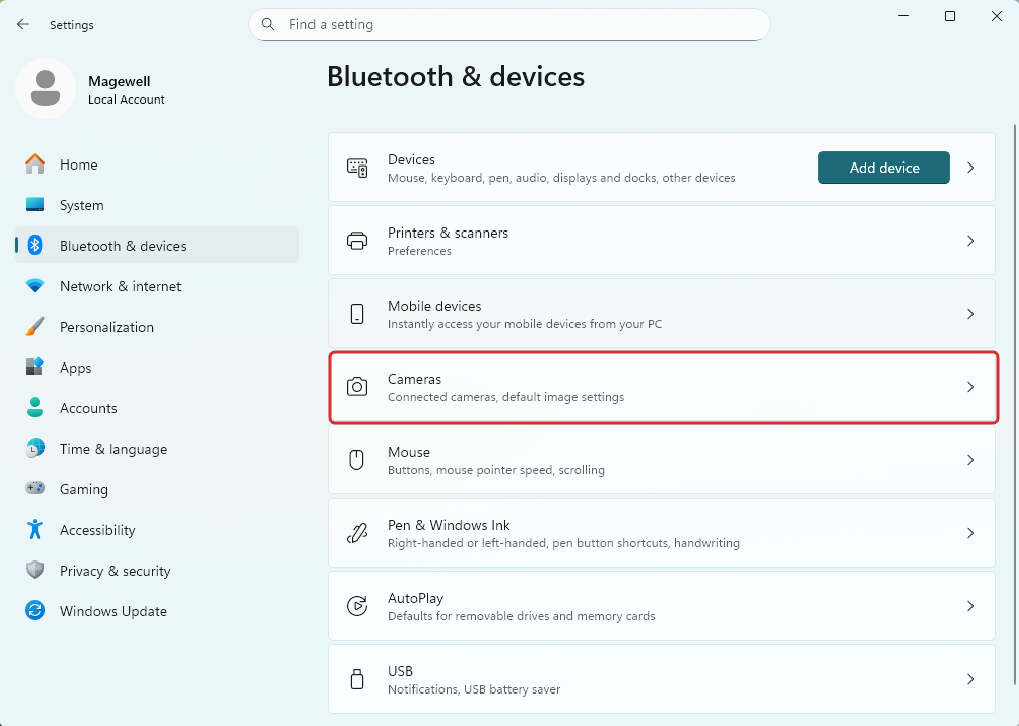
  1. Click the Windows "Start" button, then navigate to "Settings > Bluetooth & devices > Cameras".
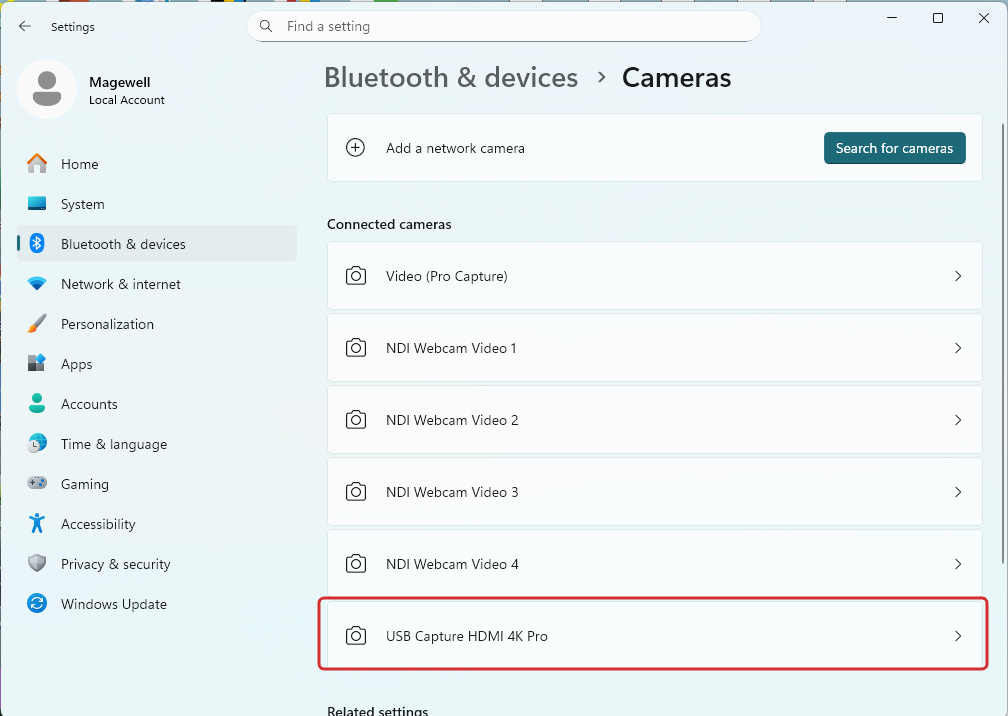
  2. In the "Bluetooth & devices > Cameras" window, select the desired camera from the list, such as USB Capture HDMI 4K Pro.
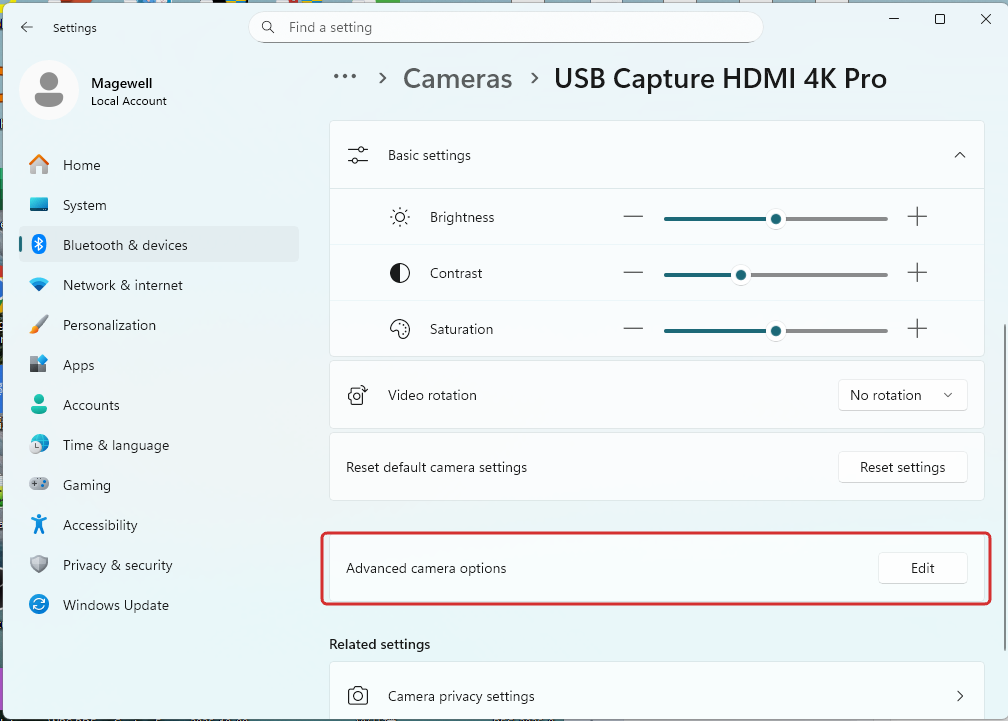
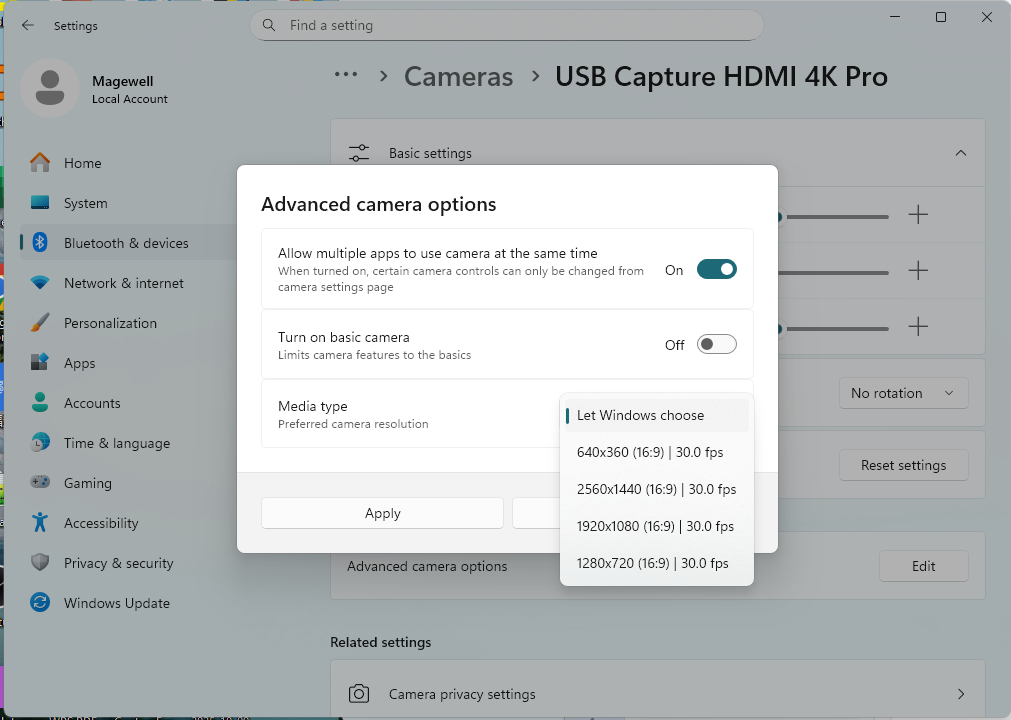
  3. Click the "Edit" button of "Advanced camera options".
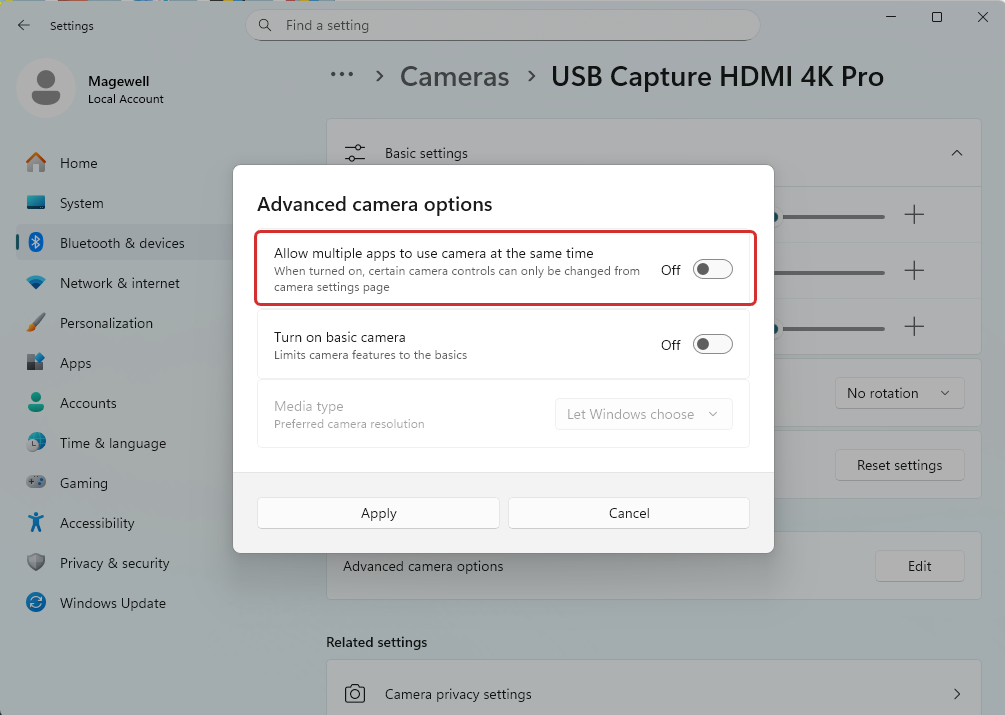
  4. Turn off "Allow multiple apps to use camera at the same time".
  5. If you need multiple apps to use camera at the same time, you can turn on the switch. And then you can select the camera resolution from "Media type". The current options include 640x360, 2560x1440, 1920x1080, 1280x720.


Has your problem been solved?