SetUSBCaptureFourcc
Supported Hardware Devices: USB Capture devices
Contents Demonstrated in the Sample:
- Reading and configuring the color space of USB capture devices
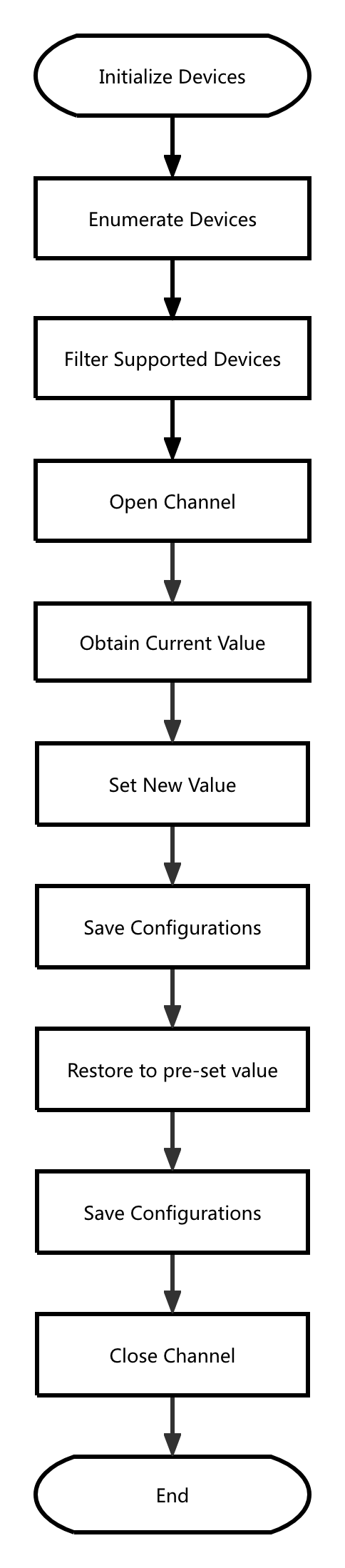
Call Logic:
- Obtain version information, initialize, and enumerate devices: MWGetVersion, MWCaptureInitInstance, MWRefreshDevice, MWGetChannelCount
- Retrieve device information and filter devices: MWGetChannelInfoByIndex
- Open the device: MWOpenChannelByPath
- Read the current value: MWUSBGetVideoOutputFOURCC
- Set to new content: MWUSBSetVideoOutputFOURCC
- Save the settings: MWUSBSaveOptions
- Restore to the previous value: MWUSBSetVideoOutputFOURCC
- Save the settings: MWUSBSaveOptions
- Release resources: MWCloseChannel, MWCaptureExitInstance
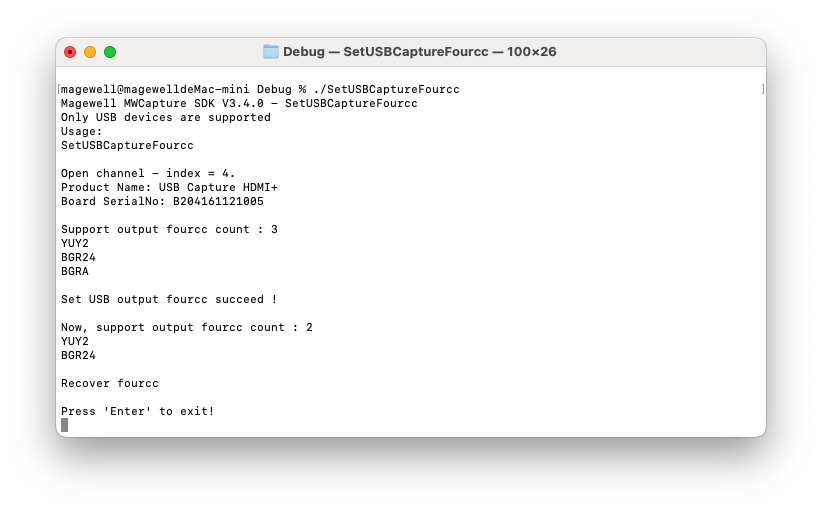
Result:
Flowchart: