HDMIInfoFrame
Supported Hardware Devices: Pro Capture cards supporting HDMI signals, USB Capture devices supporting HDMI signals
Contents Demonstrated in the Sample:
- Detecting and retrieving HDMI signal status and HDMI frame information
- Channel selection via command parameters when multiple devices are available
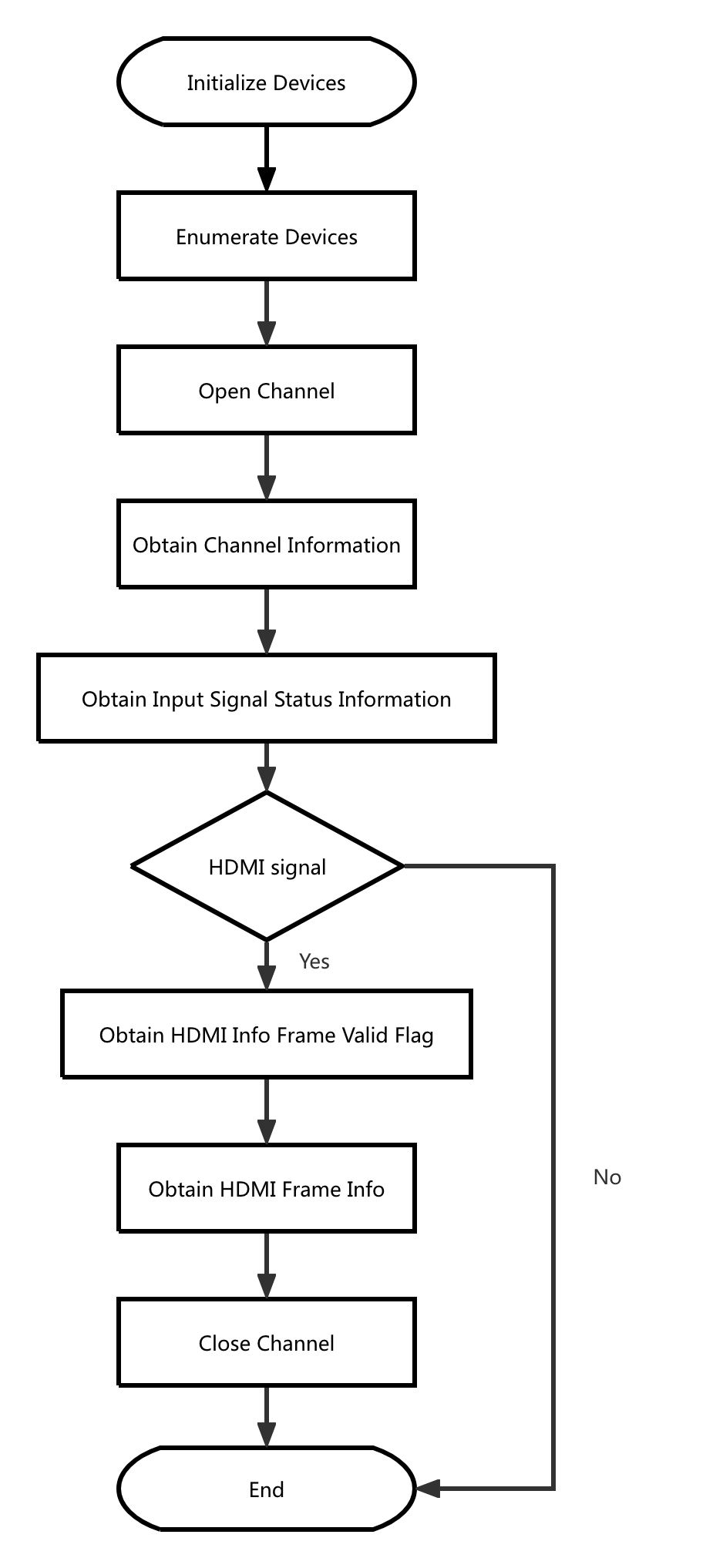
Call Logic:
- Obtain version information, initialize, and enumerate devices: MWGetVersion, MWCaptureInitInstance, MWRefreshDevice, MWGetChannelCount
- Open the device:
- Open the device specified by command parameters: MWOpenChannel
- When no device is specified in command parameters, open the first available channel by default: MWGetDevicePath, MWOpenChannelByPath
- Retrieve channel information: MWGetChannelInfo
- Retrieve input signal status information: MWGetInputSpecificStatus
- Check if HDMI information frame exists: MWGetHDMIInfoFrameValidFlag
- Retrieve and output HDMI frame information: MWGetHDMIInfoFramePacket
- Release resources: MWCloseChannel, MWCaptureExitInstance
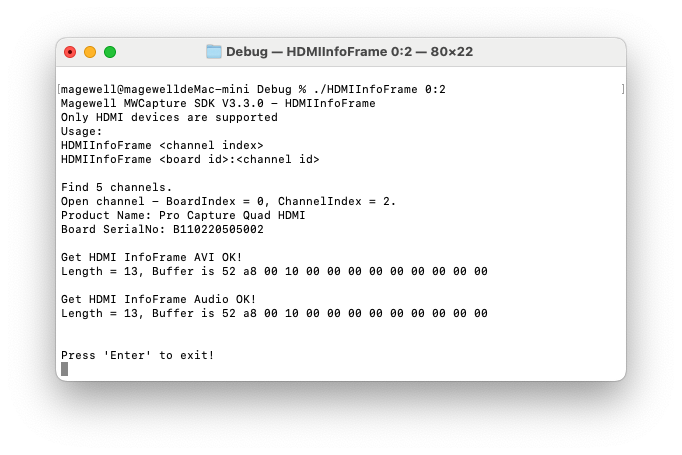
Result:
Flowchart: