ReadWriteEDID
Supported Hardware Devices: Pro/USB Capture devices supporting HDMI signals
Contents Demonstrated in the Sample:
- Export EDID from a specified channel to a binary file
- Import a binary file (EDID) from a specified path and write it to a specified channel
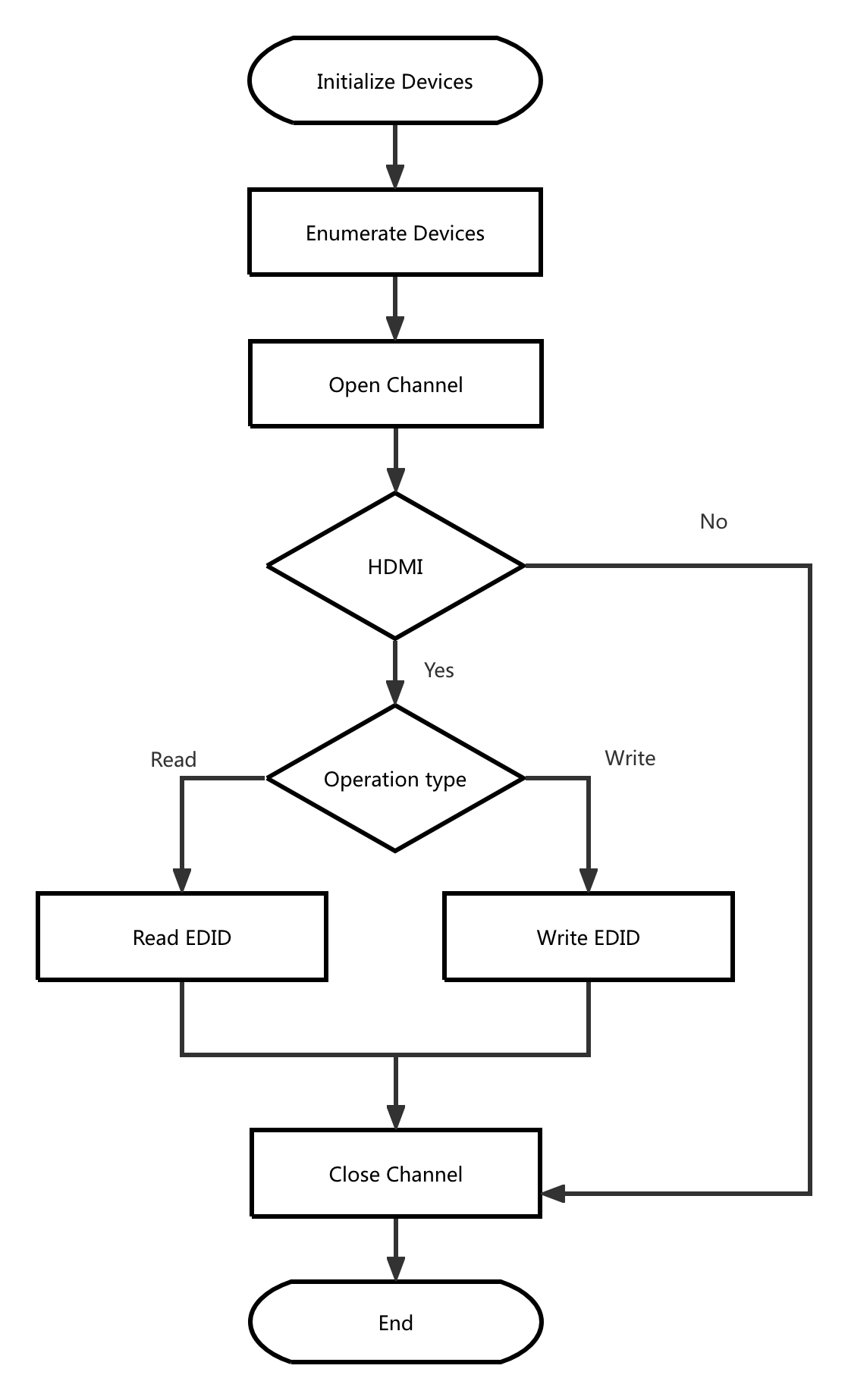
Call Logic:
- Obtain version information, initialize, and enumerate devices: MWGetVersion, MWCaptureInitInstance, MWRefreshDevice, MWGetChannelCount
- Open the device:
- Open the device specified by command parameters: MWOpenChannel
- When no device is specified in command parameters, open the first available channel by default: MWGetDevicePath, MWOpenChannelByPath
- Retrieve channel information and filter devices: MWGetChannelInfo, MWGetVideoInputSource, MWGetAudioInputSource
- Determine based on command parameters whether to export the current channel information to a binary file or import binary file information and write it to the current channel:
- Save EDID information from the specified channel to a binary file:
- Retrieve EDID information: MWGetEDID
- Write to binary file
- Read binary file information and write to the specified channel:
- Read binary file: fread
- Write EDID to current channel: MWSetEDID
- Save EDID information from the specified channel to a binary file:
- Release resources: MWCloseChannel, MWCaptureExitInstance
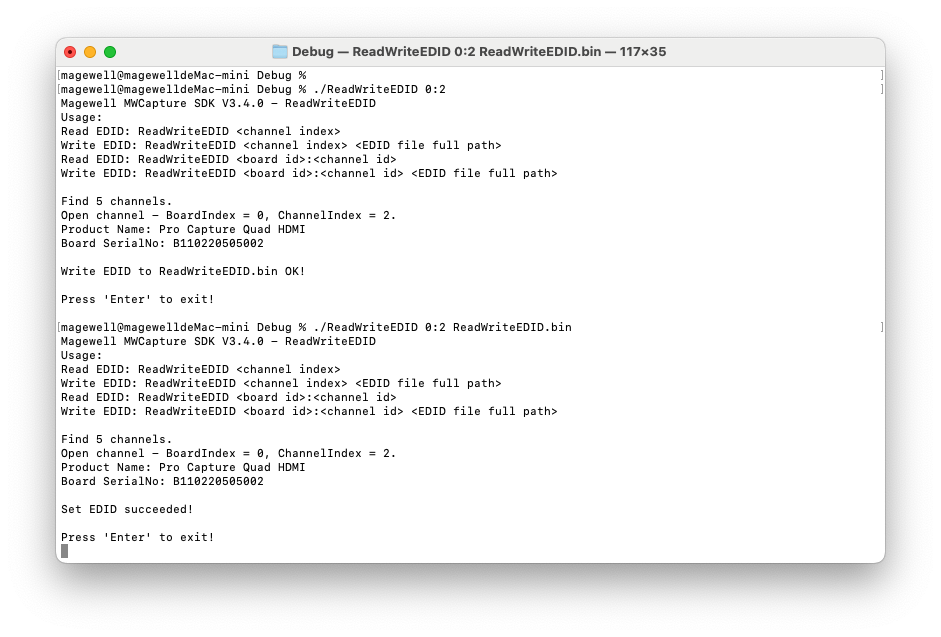
Result:
Flowchart: