InputSignalNotify
Supported Hardware Devices: Pro Capture cards
Contents Demonstrated in the Sample:
- Monitoring capture card input signal changes
- Channel selection via command parameters when multiple devices are available
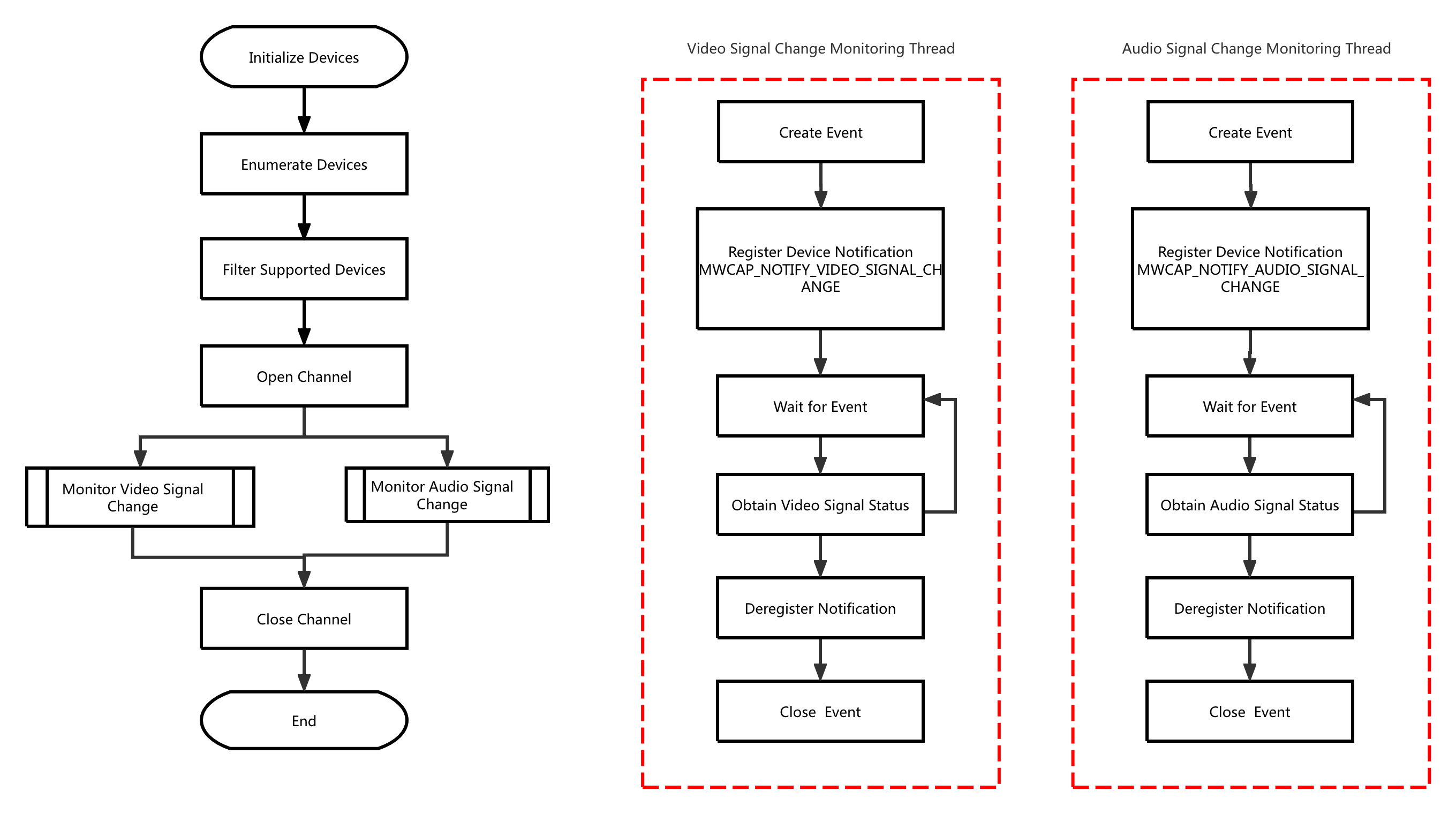
Call Logic:
- Obtain version information, initialize, and enumerate devices: MWGetVersion, MWCaptureInitInstance, MWRefreshDevice, MWGetChannelCount
- Open the device:
- Open the device specified by command parameters: MWOpenChannel
- When no device is specified in command parameters, open the first available channel by default: MWGetDevicePath, MWOpenChannelByPath
- Retrieve channel information: MWGetChannelInfo
- Create video input signal change monitoring thread
- Create audio input signal change monitoring thread
- Exit video input signal change monitoring thread
- Exit audio input signal change monitoring thread
- Release resources: MWCloseChannel, MWCaptureExitInstance
Video Input Signal Change Monitoring Thread:
- Create event: MWCreateEvent
- Register notification: MWRegisterNotify
- Wait for event: MWMultiWaitEvent
- Retrieve video signal status: MWGetVideoSignalStatus
- Unregister notification: MWUnregisterNotify
- Close event: MWCloseEvent
Audio Input Signal Change Monitoring Thread:
- Create event: MWCreateEvent
- Register notification: MWRegisterNotify
- Wait for event: MWMultiWaitEvent
- Retrieve audio signal status: MWGetAudioSignalStatus
- Unregister notification: MWUnregisterNotify
- Close event: MWCloseEvent
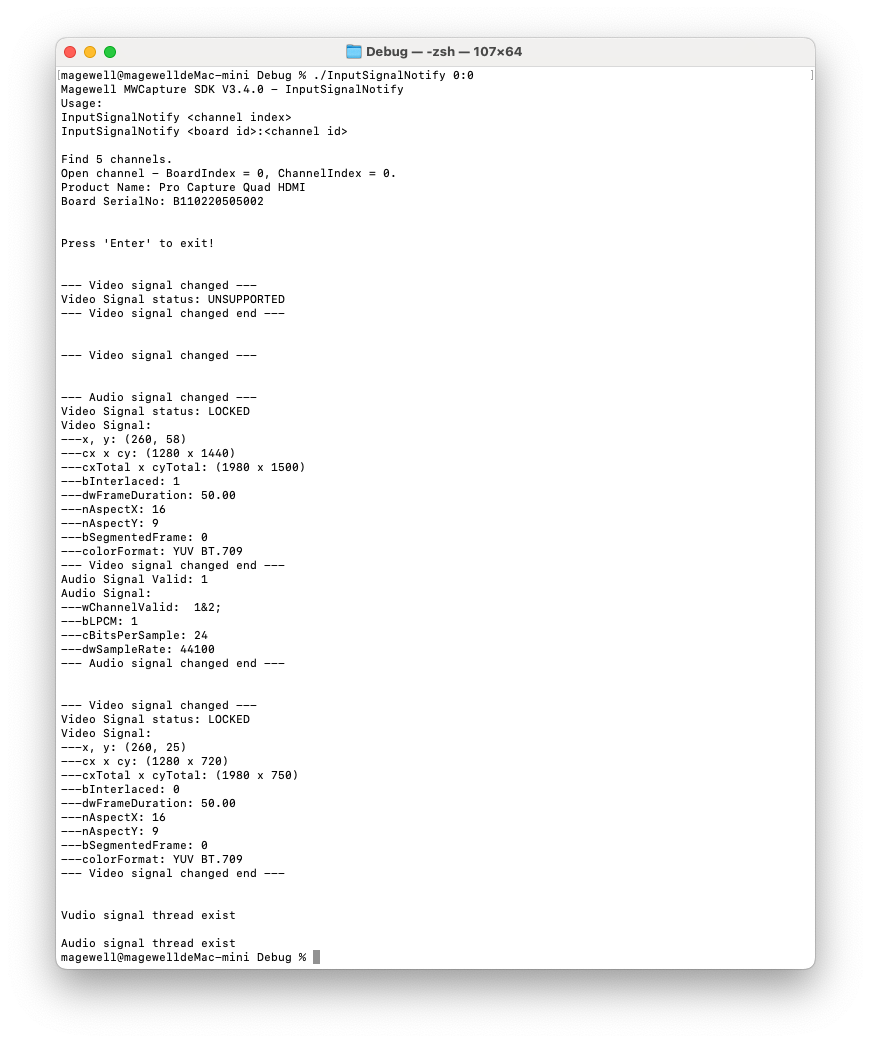
Result:
Flowchart: